
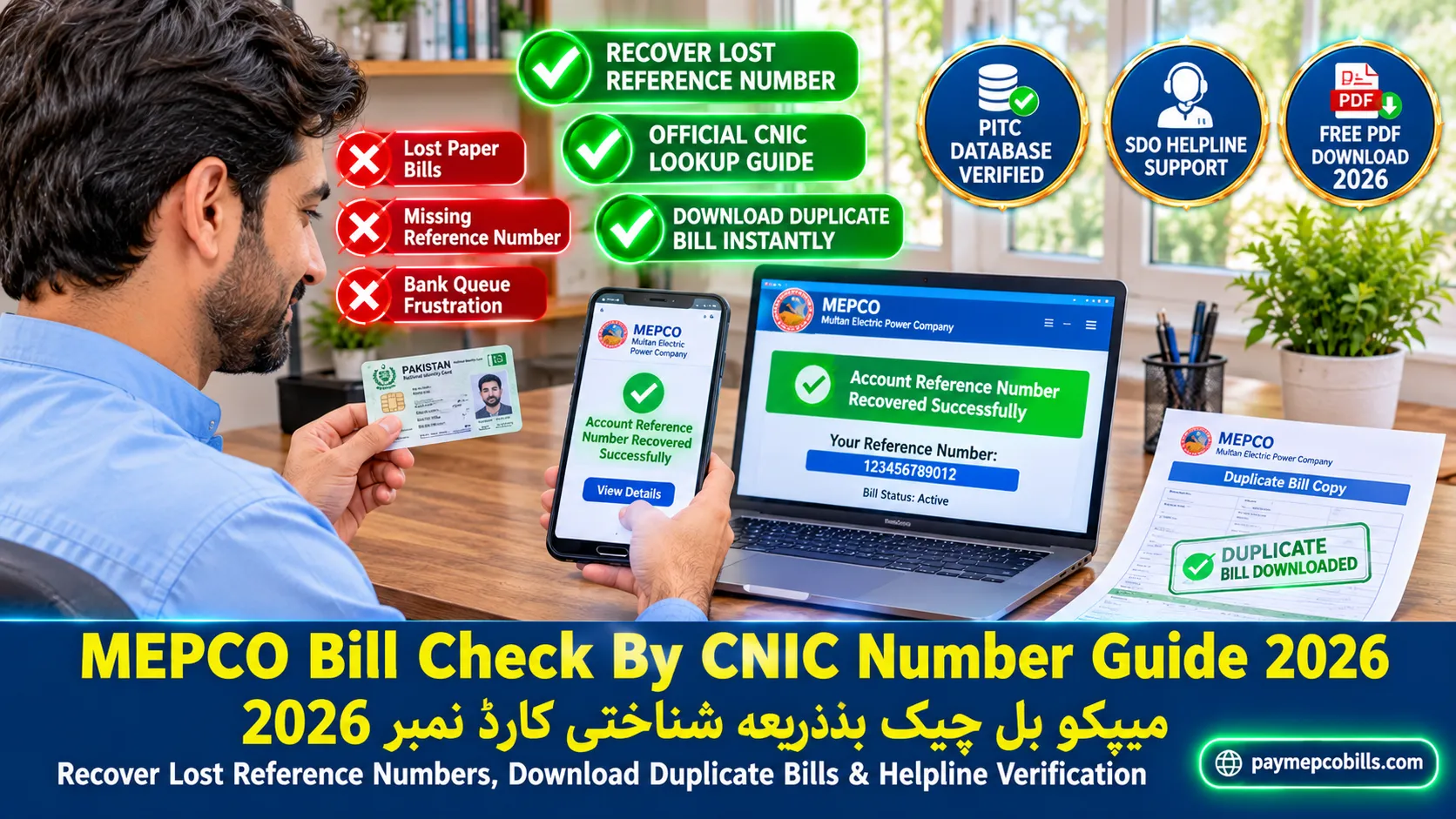
MEPCO Bill Check By CNIC Number Guide 2026
Losing your paper electricity bill right before the monthly payment due date causes severe inconvenience for residential and commercial consumers across South Punjab. Multan Electric Power Company relies on a centralized computer database maintained by the Power Information Technology Company to process utility accounts. Understanding how to perform a MEPCO Bill Check By CNIC Number helps consumers navigate official sub-divisional channels, retrieve missing 14-digit reference numbers, and download duplicate payment slips safely. This comprehensive guide clarifies official database search limitations, outlines verified methods to trace account records using your national identity card, details customer service helpline protocols, and explains how to generate duplicate bill copies instantly.
Official Database Limits: Online Web Searches vs CNIC Lookup
Many utility consumers assume that entering a 13-digit Computerized National Identity Card (CNIC) on web portals will load their current electricity bill immediately. However, understanding the exact architectural structure of the central power billing system is essential.
Key facts regarding digital account lookups include:
- Primary Account Identifiers: The official Power Information Technology Company (PITC) web server queries records using a 14-digit Reference Number or a 10-digit Consumer ID.
- Database Privacy Restrictions: Direct public CNIC searches are restricted on standard web portals to prevent unauthorized access to personal billing records and consumption history.
- In-Person SDO Verification: Sub-divisional revenue databases link property utility meters with owner CNIC records, allowing authorized staff to locate account numbers manually.
- Third-Party App Misconceptions: Unofficial mobile applications claiming to provide instant online bill retrieval via CNIC numbers without reference codes are unverified and unreliable.
Recognizing these system parameters saves valuable time and guides consumers toward legitimate verification methods.
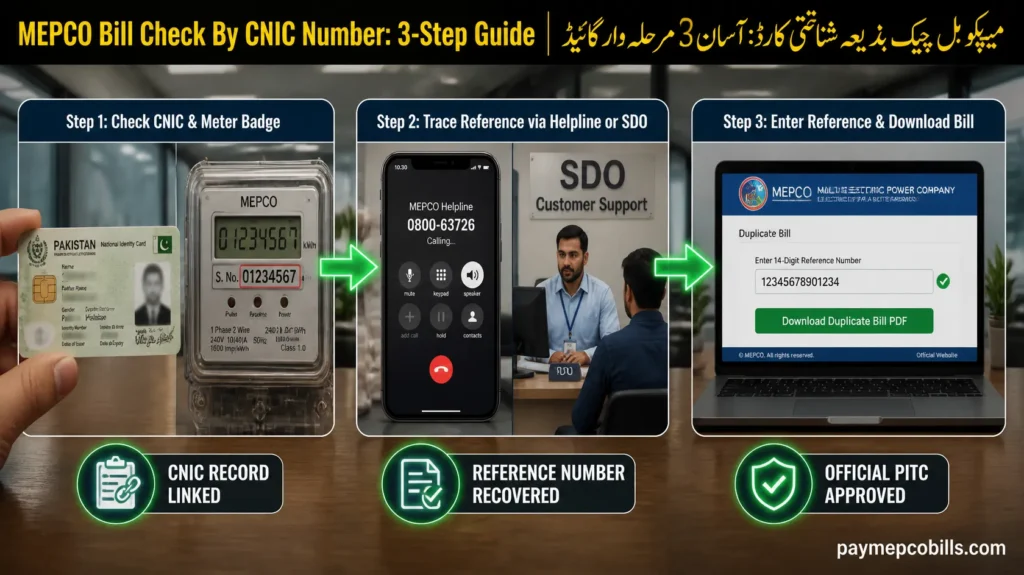
Alternative Step-by-Step Methods to Trace Your Bill Account
If you do not have your 14-digit reference number, you can use your national identity card and property information to recover your account details through official channels.
Follow these practical alternatives:
Method 1: Visit Your Local Sub-Divisional Customer Service Center
Take your original CNIC and property ownership documents (or rent agreement) to your local Sub-Divisional Officer (SDO) revenue office. Desk staff can search the internal database using your CNIC, meter serial number, or physical street address to provide your 14-digit reference code and print a duplicate bill.
Method 2: Call the Official Customer Helpline
Dial the official toll-free helpline at 0800-63726 or the emergency service line 118. Provide your full name, registered CNIC number, complete property address, and electric meter serial number to the representative to retrieve your account details.
Method 3: Check Previous Bank Transaction Histories
If you previously paid your electricity bill using mobile banking applications like JazzCash, EasyPaisa, SadaPay, or NayaPay, open your digital transaction ledger. Search for past utility payments to view saved reference numbers.
Method 4: Inspect Physical Meter Badges
Look at the front display cover of your exterior digital electric meter. Note down the physical meter serial number stamped on the casing, which sub-divisional staff can cross-reference with your CNIC.
Executing these steps allows you to complete your MEPCO Bill Check By CNIC Number query through authorized channels and regain full digital access to your monthly statements.
Read More About MEPCO Net Metering Application Online 2026 Guide
Step-by-Step Guide MEPCO Bill Check By CNIC Number
Once you recover your 14-digit reference number or 10-digit consumer ID from the customer service desk, downloading your monthly bill copy online takes less than a minute.
Follow this simple digital download process for MEPCO Bill Check By CNIC Number:
- Access the Utility Billing Tool: Open your preferred web browser and navigate to the official duplicate bill portal.
- Select Search Identifier: Choose either the ’14-Digit Reference Number’ tab or the ’10-Digit Consumer ID’ tab.
- Enter Your Account Digits: Type your numerical reference code into the search box without inserting manual hyphens or spaces.
- Click Check Bill: Press the submission button to fetch live billing data directly from PITC servers.
- View and Print Duplicate Copy: Inspect your total payable amount, due date, meter reading snapshot, and 12-month billing history, then click print or save as a PDF file.
Having your reference number saved digitally ensures instant access to duplicate bills every month without visiting administrative offices.
Read More About MEPCO Bill Correction 2026 Online Application Guide
How to Link Your CNIC to Your Utility Account for Future Access
To streamline administrative processing and receive automated SMS alerts for monthly billing updates, consumers should officially link their CNIC with their electricity connection.
Follow these registration steps:
- Submit Customer Registration Form: Collect a consumer data update form from your local sub-divisional office.
- Attach Identity and Property Proof: Provide a clear photocopy of your valid CNIC, property ownership documents, and a recent utility bill copy.
- Update Mobile Contact Details: Register your active mobile phone number alongside your CNIC to receive direct SMS bill summaries and due date reminders.
- Verify System Record Updates: Ensure sub-divisional staff enter your CNIC into the central MIS database so future verification queries process instantly.
Proactively updating your consumer account profile protects your property record and simplifies dispute resolutions.
Preventing Disconnection Penalties When Bills Are Lost
Losing a paper bill does not exempt account holders from late payment surcharges or service disconnection warnings if payments pass the official due date.
Implement these protective measures:
- Act Promptly Before Due Date: Begin tracing your reference number immediately if your paper bill does not arrive by the middle of the month.
- Use Mobile Wallet Reminders: Save your 14-digit reference number in your banking app so payment alerts populate automatically each month.
- Keep Photo Backups: Take a clear smartphone photo of your electricity bill reference box once to maintain a permanent digital record.
Staying proactive ensures continuous powe supply and eliminates late fee penalties.


One Comment