
MEPCO Duplicate Bill Online: View, Download & Print Guide (2026)
Did you lose your electricity bill? Or maybe the paper bill did not arrive at your doorstep on time? Missing your bill payment deadline often leads to extra late payment surcharges or sudden meter disconnection. The good news is that you do not need to visit a physical MEPCO office or stand in long lines just to get a physical copy.
Whether you want to check your current month’s bill, pay it online, or print a copy for official record-keeping, retrieving your MEPCO duplicate bill online takes less than a minute.
This simple guide covers everything you need to know about checking, downloading, and printing your bill online, understanding your bill breakdown, fixing common errors, and saving money during peak billing hours.
What Is a MEPCO Duplicate Bill?
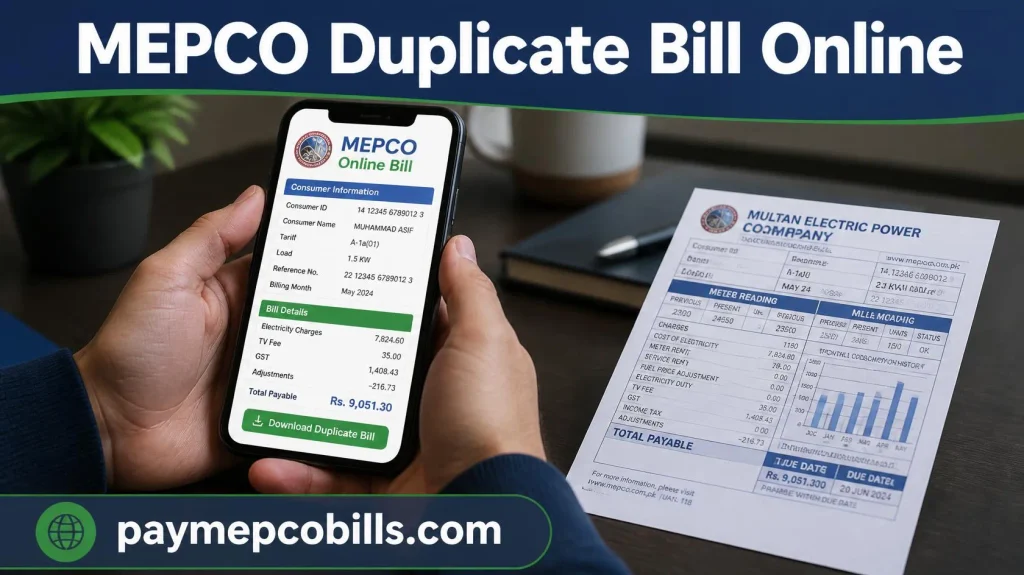
A MEPCO duplicate bill is an exact digital copy of your original paper bill. It is generated directly from the central database managed by the Multan Electric Power Company (MEPCO) and the Power Information Technology Company (PITC).
It shows the exact same account details as the hard copy delivered by your local meter reader:
- Consumer Details: Registered Consumer Name, Address, Distribution Code, and Feeder Name.
- Account Identifiers: 14-digit Reference Number and 10-digit Customer ID.
- Important Dates: Billing Month, Issue Date, and Payment Due Date.
- Meter Readings: Current and Previous Meter Reading dates along with Total Consumed Units (kWh).
- Charges Breakdown: Tariff details, electricity cost, government taxes, and surcharges.
- Payable Amounts: Clear breakdown of the exact amount payable before the due date and after the due date.
- 12-Month History: A complete table displaying your payment status and unit consumption over the past year.
Because it comes directly from the official PITC billing database, a printed MEPCO duplicate bill is 100% legally valid. You can present it at any commercial bank branch, post office, or EasyPaisa/JazzCash merchant shop to pay your bill in cash.
Why You Might Need an Online Duplicate Bill
Electricity consumers across South Punjab—including Multan, Bahawalpur, Rahim Yar Khan, Dera Ghazi Khan, and Sahiwal—frequently rely on an online MEPCO duplicate bill for several reasons:
- Delayed Postal Delivery: Mail services or local meter readers sometimes deliver physical bills just one day before the due date, leaving very little time to arrange payment.
- Lost or Damaged Bills: Hard copies are easily misplaced, torn by children, or ruined by water and weather.
- Proof of Residence: Government departments, commercial banks, passport offices, and internet providers frequently ask for a clear utility bill copy as official address proof.
- Managing Property Remotely: If you own property in South Punjab but live in another city or abroad, you can easily monitor monthly electricity usage and clear bills for your tenants without physical access to the house.
How to Check Your MEPCO Duplicate Bill Online
Fetching your MEPCO duplicate bill online requires no registration or hidden fees. Follow these simple steps:
- Locate Your Reference Details: Grab any old MEPCO bill copy. Look for your 14-digit Reference Number (printed near the top) or your 10-digit Customer ID.
- Visit the Portal: Open your mobile or desktop browser and go to https://bill.pitc.com.pk/
- Select Your Input Option: Choose whether you want to search using your Reference Number or Customer ID.
- Type Your Digits Carefully: Enter the numbers without adding any spaces, hyphens, or dashes.
- Click “Check Bill”: Press the button, and your complete bill statement will open in a clean, full-screen layout.
Safety Tip: Before making any payments, always check the Consumer Name and Address on the screen to confirm you are viewing the correct meter connection.
How to Download and Save Your Bill as a PDF
Keeping a digital archive of your monthly utility statements helps you track seasonal energy trends and acts as proof of past payments for legal or financial records.
On a Computer (Windows / Mac)
- Open your generated bill statement on the screen.
- Press Ctrl + P (Windows) or Cmd + P (Mac) on your keyboard.
- Under the Printer/Destination dropdown menu, choose Save as PDF.
- Set the paper layout size to A4.
- Click Save and select your desired folder location.
On a Smartphone (Android / iPhone)
- Open the bill in your web browser (Google Chrome or Apple Safari).
- Tap the 3 dots menu (or Share icon) at the top right corner.
- Tap Print or Share.
- Change the target option to Save as PDF.
- Select a location in your internal storage or Google Drive to complete the download.
Read More About How to Check MEPCO Bill Online 2026
How to Print Your MEPCO Duplicate Bill Correctly
If you plan to pay your bill over the counter at a bank branch, EasyPaisa shop, or Post Office, you must bring a physical printout.
- Paper Size: Set your printer layout to standard A4 paper size.
- Print Clarity: Ensure your printer ink level is good. Crucially, the 14-digit reference number, optical barcode, due date, and payable amounts must be clear so bank counter scanners can process them smoothly.
- Color vs Black & White: Black-and-white printouts are fully accepted. You do not need to spend extra money on color printing.
Understanding Your MEPCO Bill Charges & Taxes
When you look at your MEPCO duplicate bill, you will notice various taxes and surcharges added to your actual electricity consumption cost. Here is a breakdown of what these terms mean in simple language:
- Energy Amount: The basic cost of electricity calculated by multiplying your consumed units (kWh) with your applicable residential/commercial tariff rate.
- FPA (Fuel Price Adjustment): A monthly variable charge determined by NEPRA based on fuel cost fluctuations used in power generation.
- FC Surcharge (Financing Cost): A national surcharge applied per unit to cover electric supply chain debt obligations.
- TV Fee: A fixed government charge of PKR 35 for residential connections and PKR 60 for commercial connections added to every utility bill.
- Electricity Duty: A provincial tax levied on total energy consumption.
- GST (General Sales Tax): Standard government tax calculated on the combined energy cost and surcharges.
Can You Pay Your Bill Using a Duplicate Copy?
Yes, absolutely. A printed MEPCO duplicate bill is fully accepted at all physical bank branches, post offices, and microfinance shops.
However, if you prefer digital online payments, you do not even need to print the bill:
- Mobile Banking & Digital Wallets: Open your preferred mobile app (JazzCash, EasyPaisa, NayaPay, or any commercial bank app). Navigate to Bill Payment > Electricity > MEPCO, enter your 14-digit reference number, and pay your dues instantly from home.
Security Alert: Only use official banking apps or verified payment agents. Never transfer bill money to personal mobile numbers or unverified third parties promising discounts on utility bills.
How to Lower Your Bill: MEPCO Peak Hours Guide
One of the easiest ways to keep your monthly MEPCO duplicate bill low is by understanding MEPCO Peak Hours. Electricity tariff rates are higher during peak hours compared to off-peak hours for consumers with 3-Phase meters.
| Season / Months | Peak Hours Time Window |
| April to September (Summer) | 6:30 PM to 10:30 PM |
| October to March (Winter) | 5:00 PM to 9:00 PM |
Simple Energy Saving Tips:
- Avoid running heavy appliances—such as air conditioners, water pumps, electric motors, irons, and washing machines—during peak evening hours.
- Switch to energy-efficient LED lights and inverter ACs to reduce unit consumption.
- Turn off unnecessary lights and unplug idle chargers to stop vampire power drain.
Common Errors & Simple Fixes
If your MEPCO duplicate bill fails to display or generates an error message, check these quick fixes:
| Issue | Common Cause | Quick Solution |
| “Invalid Reference Number” | Typing mistake or extra spaces | Check an old bill. Enter exactly 14 digits without spaces or hyphens. |
| Blank Screen / Bill Not Opening | Browser pop-up blocker enabled | Enable pop-ups in your browser settings and click Check Bill again. |
| System Timeout / Server Error | PITC server maintenance or high traffic | Wait 3 to 5 minutes and refresh the page outside busy evening hours. |
| Lost Reference Number | No old paper bill copy available | Use your 10-digit Customer ID or check our CNIC lookup guide to recover it. |



3 Comments