Complete Guide to MEPCO Bill Payment Methods in 2026
Paying your monthly electricity bill in South Punjab no longer requires waiting in long bank queues. Multan Electric Power Company has modernized its transaction system, allowing consumers to settle their monthly utility dues instantly from the comfort of their homes.
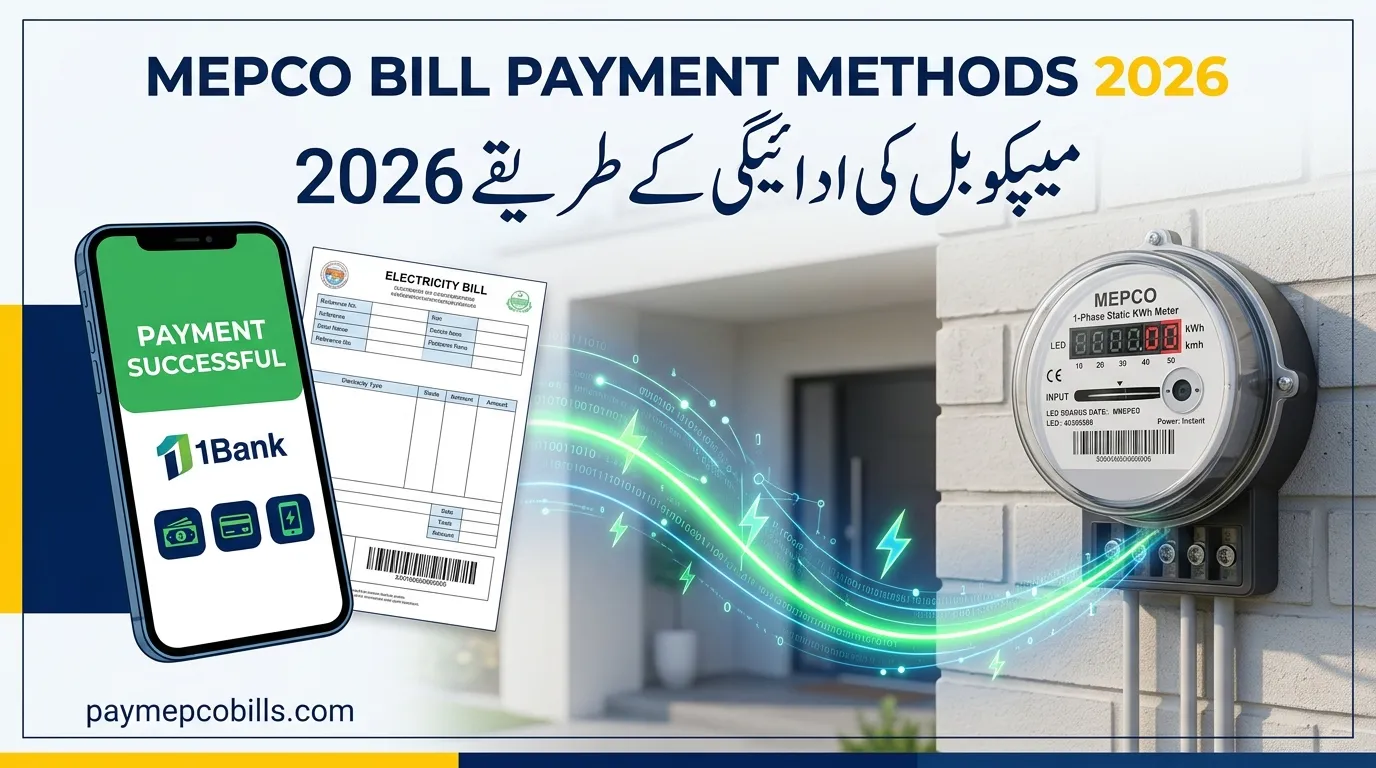
Choosing the right MEPCO Bill Payment Methods protects you from unnecessary late payment surcharges while providing immediate digital transaction receipts. Whether you prefer quick mobile wallet transfers via EasyPaisa and JazzCash, direct 1Bill internet banking, or traditional cash deposits at local bank counters, every gateway offers unique convenience.This comprehensive guide breaks down all official MEPCO Bill Payment Methods, giving you step-by-step online procedures, payment status verification tips, and instant fixes for common transaction errors.
Online Digital MEPCO Bill Payment Methods
Digital transaction channels offer the fastest way to settle electricity bills without standing in long queues. Payments processed through certified digital channels reflect in the central database within 24 to 48 hours.
1. Mobile Wallet Apps (EasyPaisa & JazzCash)
Mobile wallets are among the most popular MEPCO Bill Payment Methods due to 24/7 availability and instant SMS transaction confirmations.
- Open your EasyPaisa or JazzCash application and log in.
- Navigate to Bill Payment and select Electricity.
- Choose MEPCO as your distribution company.
- Enter your 14-digit reference number or scan the barcode printed on your bill paper.
- Verify the consumer name, bill amount, and due date displayed on the confirmation screen.
- Tap Pay Now to authorize the transaction and download your digital receipt.
2. Mobile Banking Apps & 1Bill Invoicing
Commercial bank applications (such as HBL, Meezan Bank, UBL, Bank Alfalah, and Allied Bank) integrate directly with the 1Link bill payment system.
- Log into your mobile banking app and go to Bill Management / Pay Bills.
- Select Utility Bills or choose 1Bill Invoice.
- Search for MEPCO and enter your 14-digit reference consumer number.
- Verify the pending bill balance automatically fetched from the server.
- Enter the OTP sent to your registered mobile number to confirm the transaction.
Read More About MEPCO New Connection 2026: Easy Online Apply & Fee Guide
3. Official MEPCO Smart App & Power Smart App
The official mobile app provides a direct interface for consumers looking for reliable digital MEPCO Bill Payment Methods.
- Open the MEPCO Smart App on your smartphone.
- Input your reference number to view the active billing invoice.
- Select the integrated digital payment gateway (Debit/Credit Card or 1Bill).
- Proceed with payment to instantly update your billing ledger status.
Offline & Traditional MEPCO Bill Payment Methods
For consumers who prefer cash transactions or require physical bank-stamped receipts for tax filing purposes, several physical channels remain fully operational across all sub-divisions.
       ┌─────────────────────────────────────────────────────────────┐
       │                MEPCO Bill Payment Methods                   │
       └──────────────────────────────┬──────────────────────────────┘
                                      │
              ┌───────────────────────┴───────────────────────┐
              ▼                                               ▼
   [ Digital Channels ]                            [ Offline Channels ]
   • EasyPaisa / JazzCash                          • Commercial Bank Counters
   • 1Bill Banking Apps                            • Pakistan Post Offices
   • MEPCO Smart App                               • Commercial Bank ATMs
   • Debit / Credit Cards                          • Authorized Retail Agents
1. Commercial Bank Branch Counters
You can present your original printed bill along with cash at designated commercial bank branches (including NBP, HBL, MCB, UBL, and Bank of Punjab). The bank cashier stamps both the consumer copy and the bank stub as official proof of payment.
2. Pakistan Post Offices
All General Post Offices (GPOs) and sub-post offices in urban and rural areas accept cash payments for MEPCO bills. This remains a primary offline choice for rural consumers living far from commercial bank branches.
3. Automated Teller Machines (ATMs)
Most commercial banks allow account holders to pay utility bills using their debit cards at ATMs. Insert your card, select Utility Bill Payment, choose MEPCO, enter your 14-digit reference number, and confirm the payment to receive a printed transaction slip.
Comparison of Popular Payment Channels
Choosing among various MEPCO Bill Payment Methods involves evaluating processing times, transaction fees, and receipt accessibility.
| Payment Method | Processing Time | Service Fee | Receipt Type |
| EasyPaisa / JazzCash | Instant | Free | Digital PDF / In-App Slip |
| 1Bill Banking Apps | Instant | Free | E-Receipt & Bank SMS |
| Bank Branch Counter | Same Day | Free | Physical Stamped Stub |
| Pakistan Post Office | 24 – 48 Hours | Free | Stamped Paper Receipt |
| Bank ATM Portal | Instant | Free | Printed Thermal Paper Slip |

How to Verify Payment Status Online
After using any of the available MEPCO Bill Payment Methods, it is good practice to verify that your payment has cleared before the next billing cycle begins.
- Visit the official website or open the MEPCO Smart App.
- Enter your 14-digit reference number in the bill checking portal.
- Look for the Payment Status tag on the duplicate bill banner.
- If the status displays Paid, your transaction has settled successfully.
- If paying close to the due date, retain your digital transaction ID or physical stamped stub for at least two billing cycles as legal proof.
Troubleshooting Common Payment Issues
While digital MEPCO Bill Payment Methods are generally smooth, occasional technical glitches can occur:
- Double Deduction: If money is debited twice from your bank account, contact your bank’s helpline with the transaction IDs. The duplicate amount will be refunded or adjusted in your next monthly bill.
- Payment Not Updated: If your bill shows “Unpaid” despite payment, present your digital receipt or stamped stub to your local SDO customer center to update the database ledger manually.
- Transaction Limit Reached: Ensure your mobile wallet account tier (Level 0 or Level 1) supports the total bill amount, especially during peak summer billing months.




2 Comments