Easy Guide to MEPCO Smart Meter Installation Process in 2026
Upgrading your home or business utility connection is one of the most effective ways to manage monthly energy expenses. Multan Electric Power Company is modernizing its power network across South Punjab by replacing old electromechanical devices with digital technology. Understanding the MEPCO Smart Meter Installation process helps residential and commercial consumers take full control of their monthly power consumption.
Traditional meters require meter readers to visit your property every month to write down unit readings. Sometimes, manual reading mistakes lead to incorrect bills and billing disputes. The new digital meters eliminate these manual errors by sending exact consumption data directly to the central computer system.In this clear guide, we will cover everything you need to know about MEPCO Smart Meter Installation, including its key features, step-by-step application procedures, required documents, installation costs, and smart tips to monitor your electricity usage efficiently.
What Is a MEPCO Smart Meter Installation?
A smart meter is an advanced electronic device that measures your electricity consumption in real time and transmits this data automatically to power distribution authorities. Unlike older analog meters, this device features two-way communication between your home and the central grid.
Key features of this digital technology include:
- Automated Data Transfer: Meter readings are transmitted wirelessly, removing the need for manual meter readers.
- Real-Time Monitoring: Consumers can track their current power usage and peak-hour unit consumption instantly.
- Tamper Detection Alerts: The system alerts authorities immediately if any unauthorized attempt is made to bypass or damage the meter.
- Remote Disconnection and Reconnection: Power lines can be managed digitally without requiring physical visits from field staff.
Starting your MEPCO Smart Meter Installation allows you to stay updated on daily energy use and prevent unexpected surges in your monthly electricity statements.
Read More About How to Check MEPCO Bill Surcharge Online Avoid Extra Fees
Why Is MEPCO Upgrading to Digital Smart Meters?
Power companies across Pakistan are transitioning to digital infrastructure to improve energy efficiency and reduce transmission losses. Multan Electric Power Company aims to provide accurate billing and better service quality through this upgrade.
Here are the main reasons behind this technology transition:
- Eliminating Overbilling Issues: Automated readings ensure you are charged strictly for the units you consume.
- Reducing Electricity Theft: Digital tracking helps detect line losses and unauthorized connections across the distribution network.
- Improving Grid Reliability: Real-time data allows engineers to locate transformer overloads and power outages quickly.
- Supporting Solar Net Metering: Digital meters make it simple for solar system owners to export extra electricity back to the national grid.
Planning your MEPCO Smart Meter Installation ensures your property is equipped with modern, reliable electrical infrastructure.
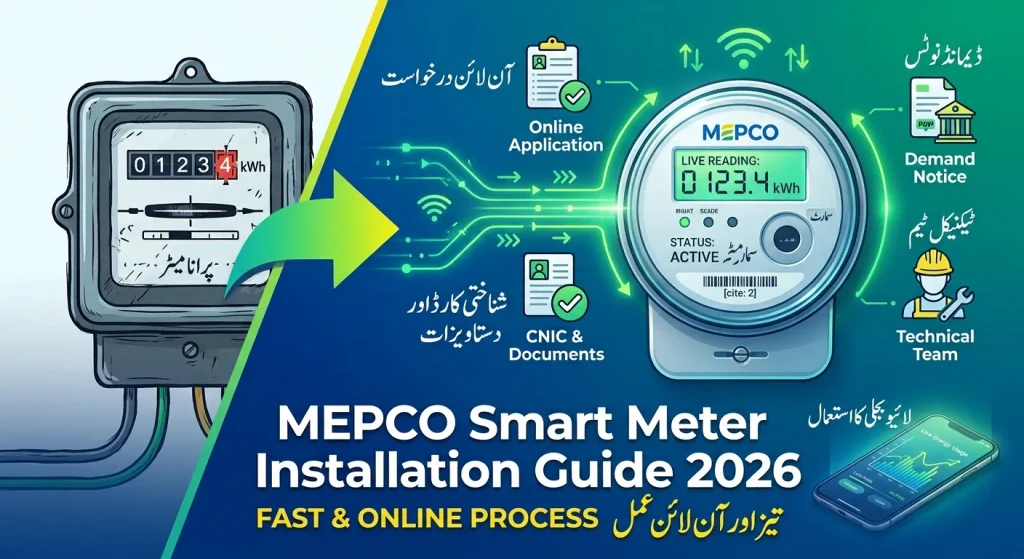
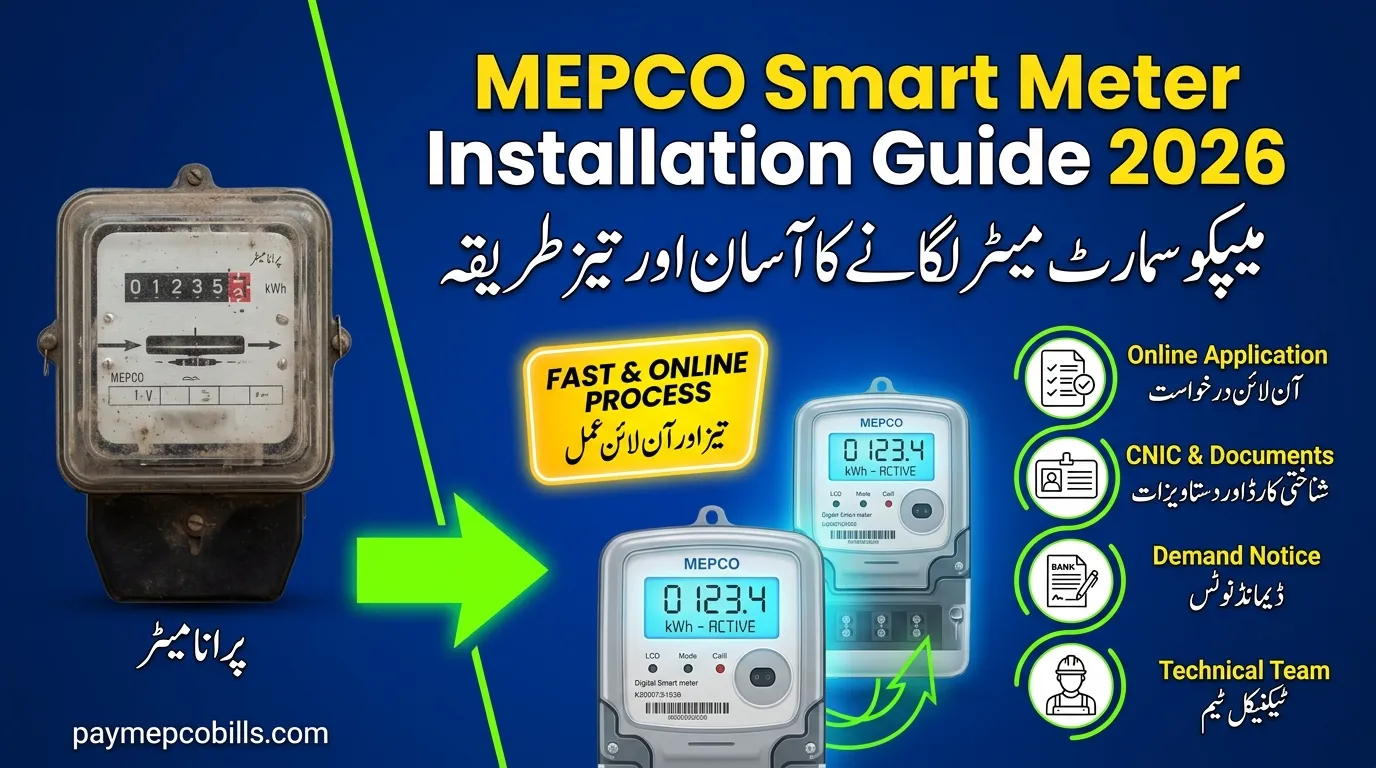
Step-by-Step MEPCO Smart Meter Installation Process
Getting a modern meter installed at your house, shop, or factory follows a simple, transparent procedure. You can complete the initial request online or by visiting your local sub-divisional office.
Step 1: Document Preparation
Before applying, gather all necessary identification and property ownership documents:
- A copy of the applicant’s valid CNIC
- Property ownership proof or rental agreement
- A copy of a recent paid electricity bill from a neighboring property
- An official NOC if the property is rented or jointly owned
Step 2: Submitting the Application
Submit your application through the official Electricity New Connection (ENC) online portal or at your local MEPCO customer service center. Select the smart meter connection option and fill in your personal and property details carefully.
Step 3: Site Inspection
After receiving your application, a field inspector will visit your location to check the electrical wiring, load requirements, and physical installation spot to ensure safety compliance.
Step 4: Demand Notice Payment
Once the site inspection is approved, MEPCO issues a Demand Notice for the installation fee. Pay this fee at designated bank branches or through mobile banking applications.
Step 5: Physical Meter Setup
After payment verification, technical staff will visit your premises to complete the MEPCO Smart Meter Installation and connect your property to the distribution grid safely.
Costs and Fees for Installing a Smart Meter
The total cost for upgrading or installing a new connection depends on your connection category and sanctioned load requirements.
For standard single-phase domestic connections, the fee structure includes the cost of the digital meter, service wire, testing charges, and security deposit. For three-phase domestic or commercial connections, the hardware cost is higher due to advanced metering equipment.
When you pay your official Demand Notice, always keep the original payment receipt safe. Never pay cash directly to field staff; all payments must be deposited through official banking channels to secure your MEPCO Smart Meter Installation record.
Advantages of Smart Meters for Everyday Consumers
Upgrading to a digital meter brings multiple long-term benefits to consumers looking to save money on utility bills.
- Better Budget Control: By tracking live consumption, you can adjust heavy appliance usage during high-tariff peak hours.
- Accurate Monthly Statements: You no longer need to worry about estimated readings or incorrect unit entries on your paper bill.
- Faster Complaint Resolution: Technical faults are logged automatically in the central system, leading to quicker repairs.
- Seamless Integration with Solar Panels: Smart meters support bi-directional flow, making it easy to track units imported and exported through solar setups.
Completing your MEPCO smart Meter Installation empowers your household to use energy wisely and avoid unnecessary late fees or surcharge penalties.
What to Do If You Experience Issues After Installation
Sometimes, consumers have questions about unit display readings or connection status shortly after setting up a new meter.
If you encounter any issues after your MEPCO Smart Meter Installation:
- Check the Display Screen: Observe the digital screen to see current unit counts and status indicators.
- Verify Online Data: Access the official online portal to review your updated digital connection records.
- Contact Customer Support: Call the official helpline or visit your local sub-division office if the display shows error codes or power supply interruptions occur.